Portal 360
A security-first console that folds a dozen Microsoft admin portals — Entra, Intune, Azure, Power Platform, and collaboration — into one authenticated, audit-friendly workspace. Branded Portal 360°.
- Next.js
- TypeScript
- Microsoft Graph
- Azure
- Power Platform
- NextAuth
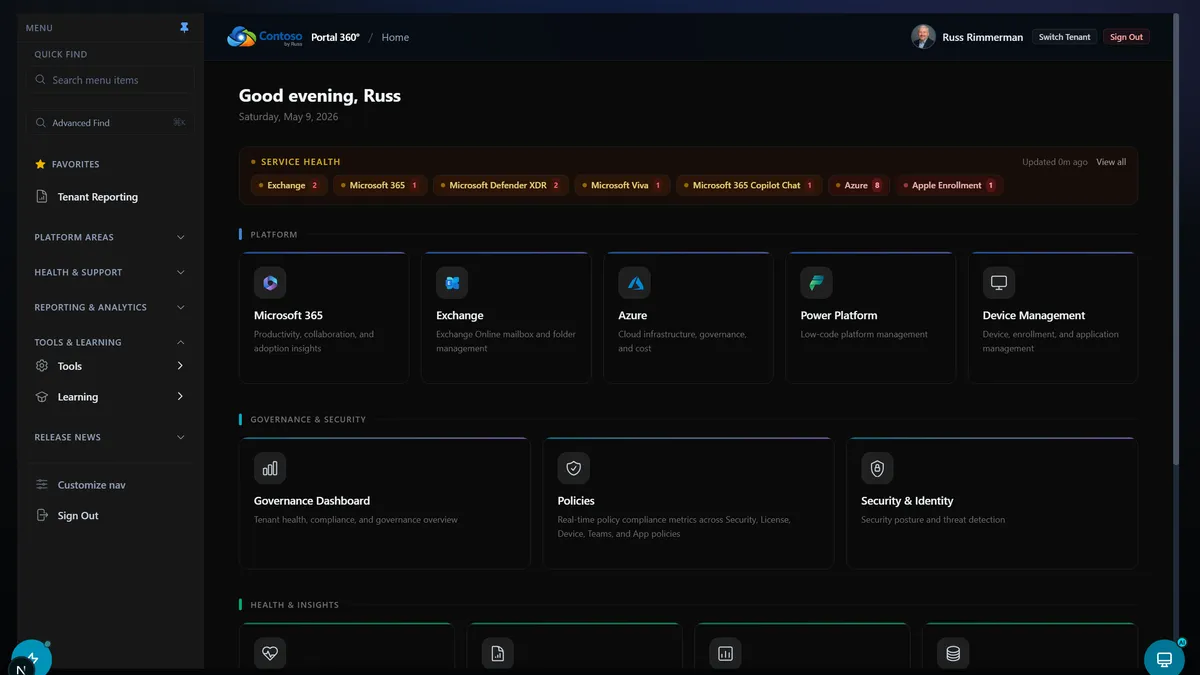
Portal of Portals (branded Portal 360°) is a unified Microsoft cloud administration workspace. Instead of bouncing between the Entra, Intune, Azure, Power Platform, and Exchange admin centers, IT and MSP teams get one console with centralized visibility, cross-service actions, and audit-ready operations. It runs on a Backend-for-Frontend architecture, so every privileged call stays server-side, behind per-route authentication and least-privilege scopes.
It’s a Next.js 16 / React 19 / TypeScript app with 700+ API routes, secured with NextAuth (Auth.js) v5. Every route verifies the session before it does anything, prefers delegated on-behalf-of tokens over app-only credentials, and draws its scopes from a single centralized map so over-permissioning stays a review problem instead of an accident scattered across hundreds of files. Still private while it hardens, but it’s the connective tissue for everything else here.
Independent project — not affiliated with, endorsed by, or supported by Microsoft. Keep using the official portals for anything compliance-critical.
Identity & security
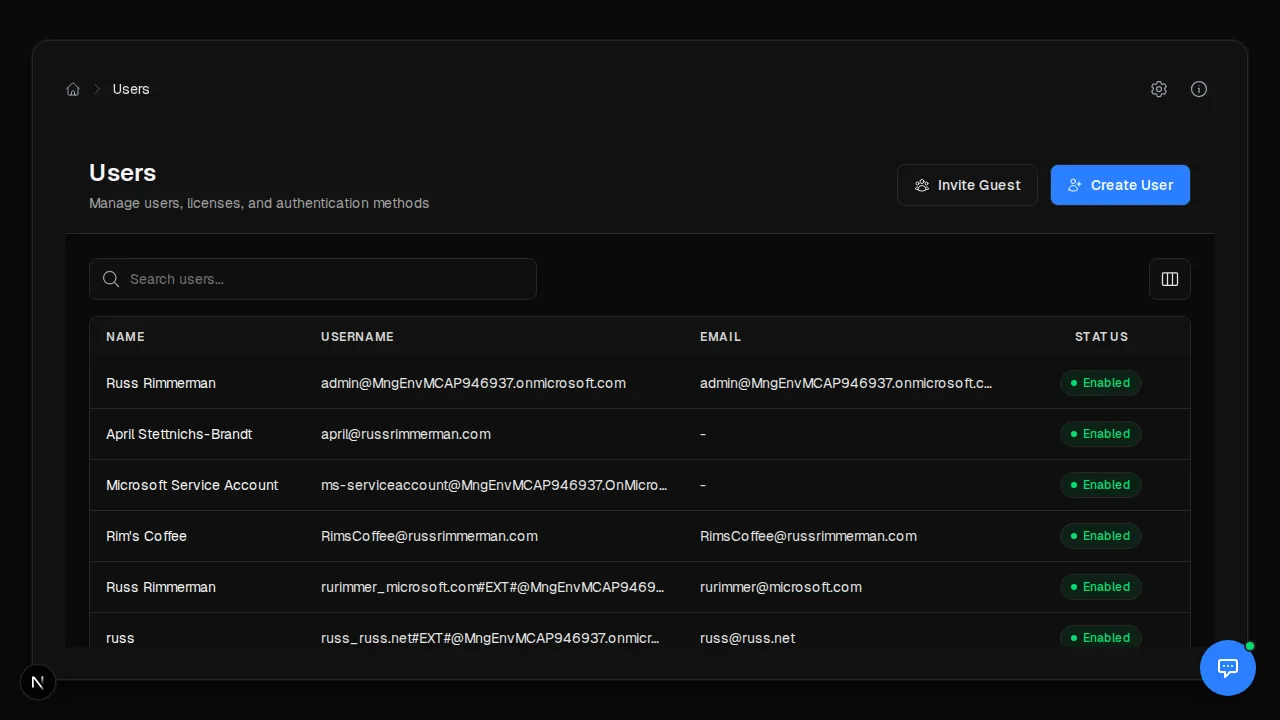
The identity surface covers users (including a consolidated “User 360” view), groups, apps and service principals, PIM, entitlement management, sign-ins, Conditional Access, risky users, and audit logs — all backed by Microsoft Graph read scopes, with explicit, narrow write scopes for the few actions that change state.
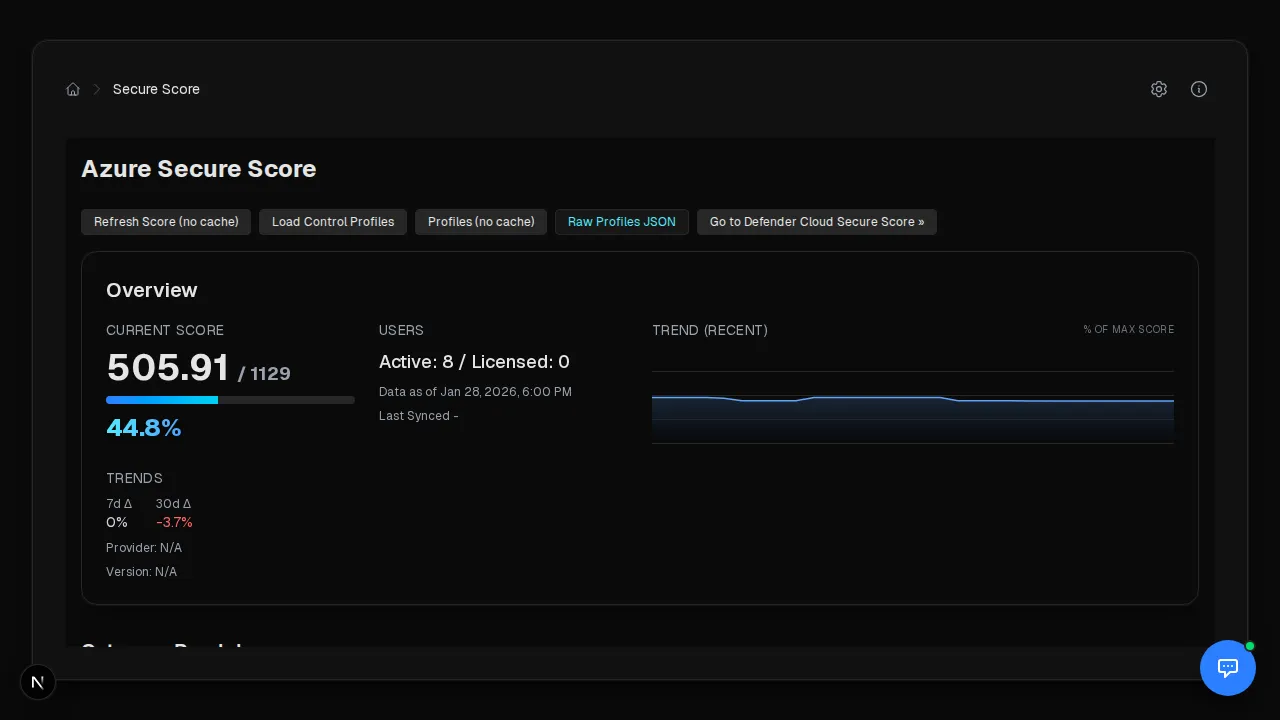
Secure Score monitoring pulls the tenant’s current posture, improvement actions, and category breakdown into one view, with optional Defender for Endpoint integration for higher-fidelity signal.
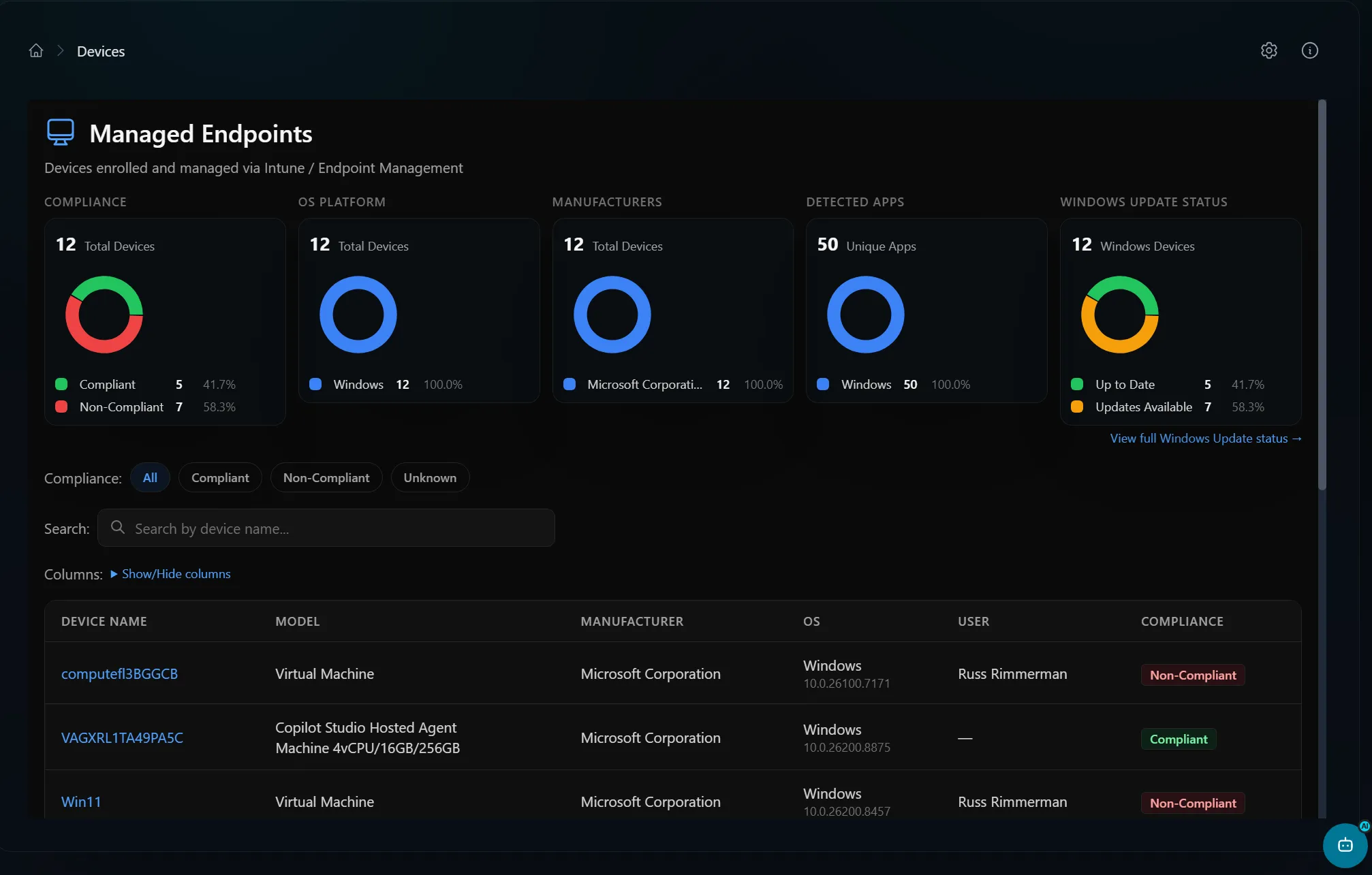
Device management with Intune
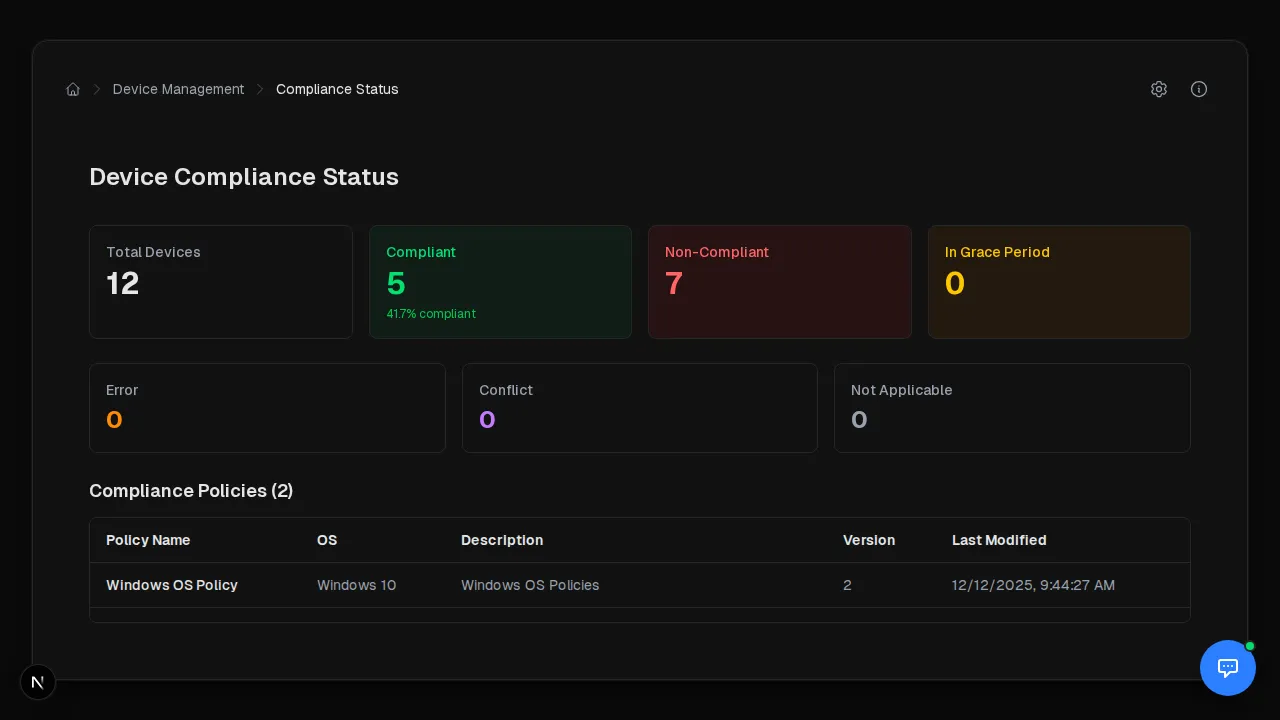
Microsoft Intune is the engine behind the device surface: Intune device inventory, compliance and configuration state, reporting, and the Windows update catalog all live under one roof. The compliance dashboard shows the state distribution across every managed device with drill-down into non-compliant devices and the policies behind them.
Azure infrastructure
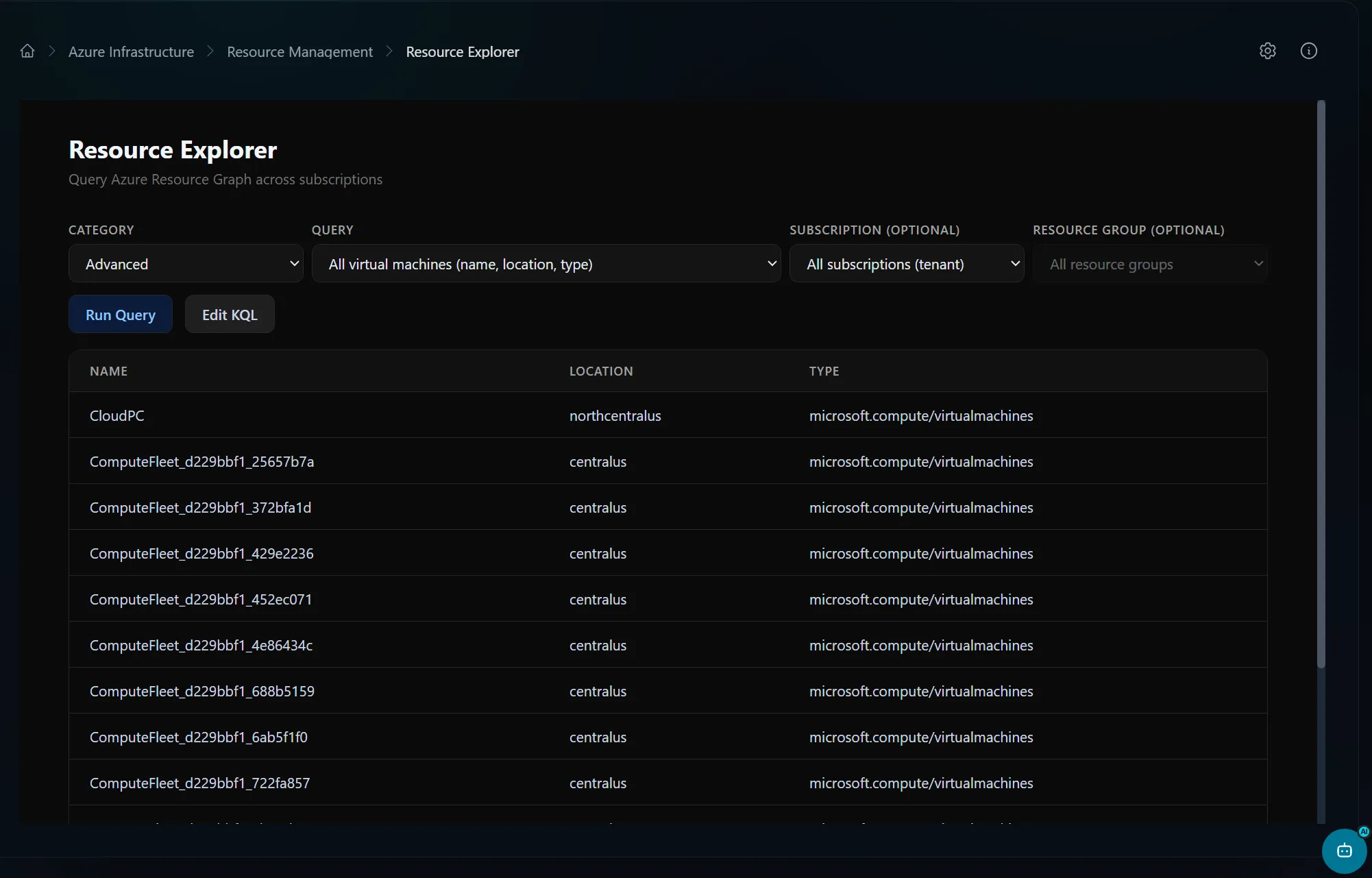
Azure coverage spans the org hierarchy, resources, networking, VMs, deployment stacks, policy and compliance, Advisor, cost, budgets, forecasts, reservations, and monitoring. The resource explorer runs Azure Resource Graph queries across every subscription, with custom KQL, type filtering, and CSV export.
Power Platform
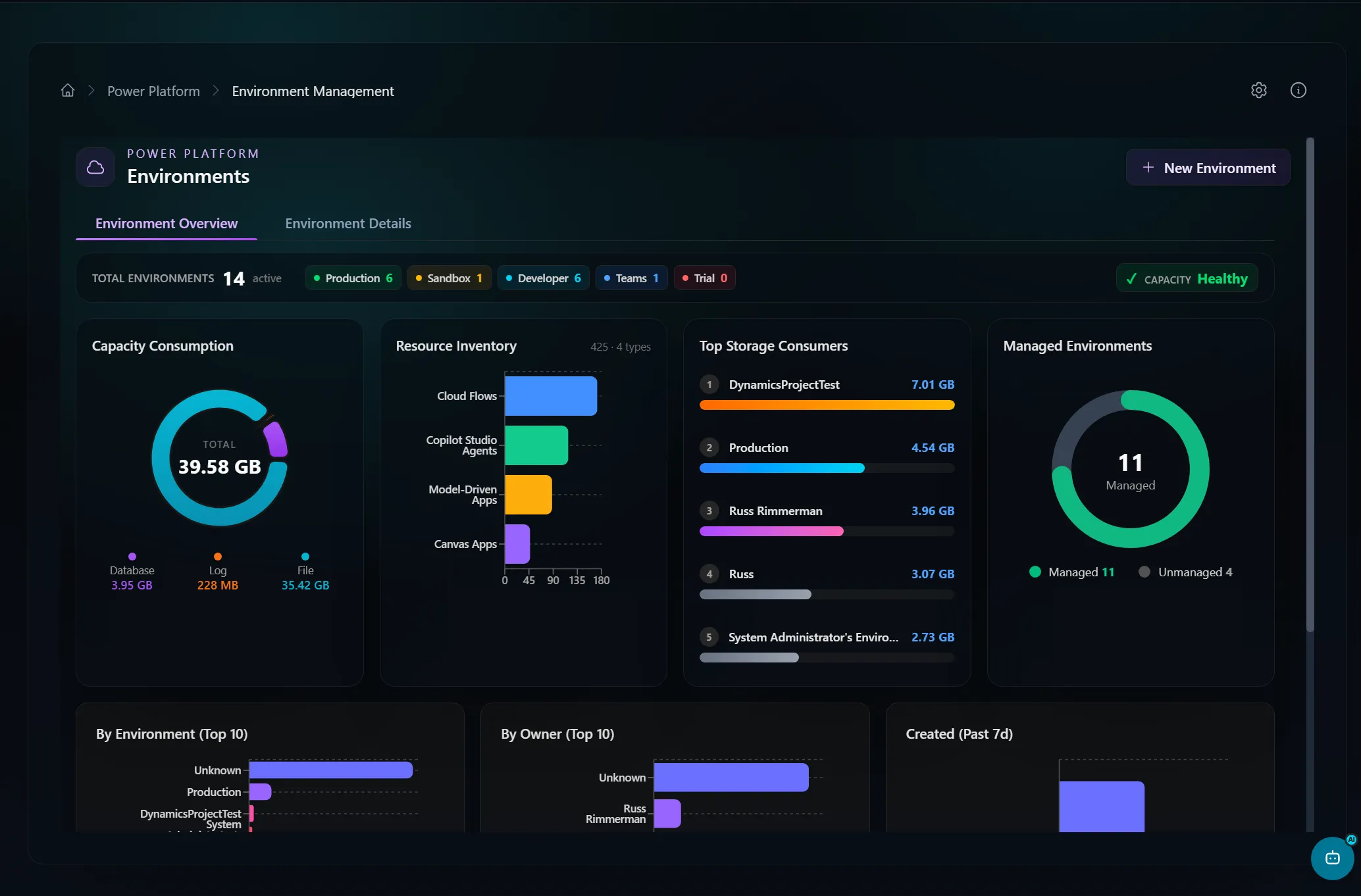
The Power Platform surface handles environments (with a self-service request form), Copilot Studio, DLP, governance, billing and capacity, and Dataverse analytics. A tenant-settings reference stays in sync with Microsoft’s docs automatically. The environment view splits into Summary, Details, and Analytics tabs with managed-environment controls.
Collaboration & health
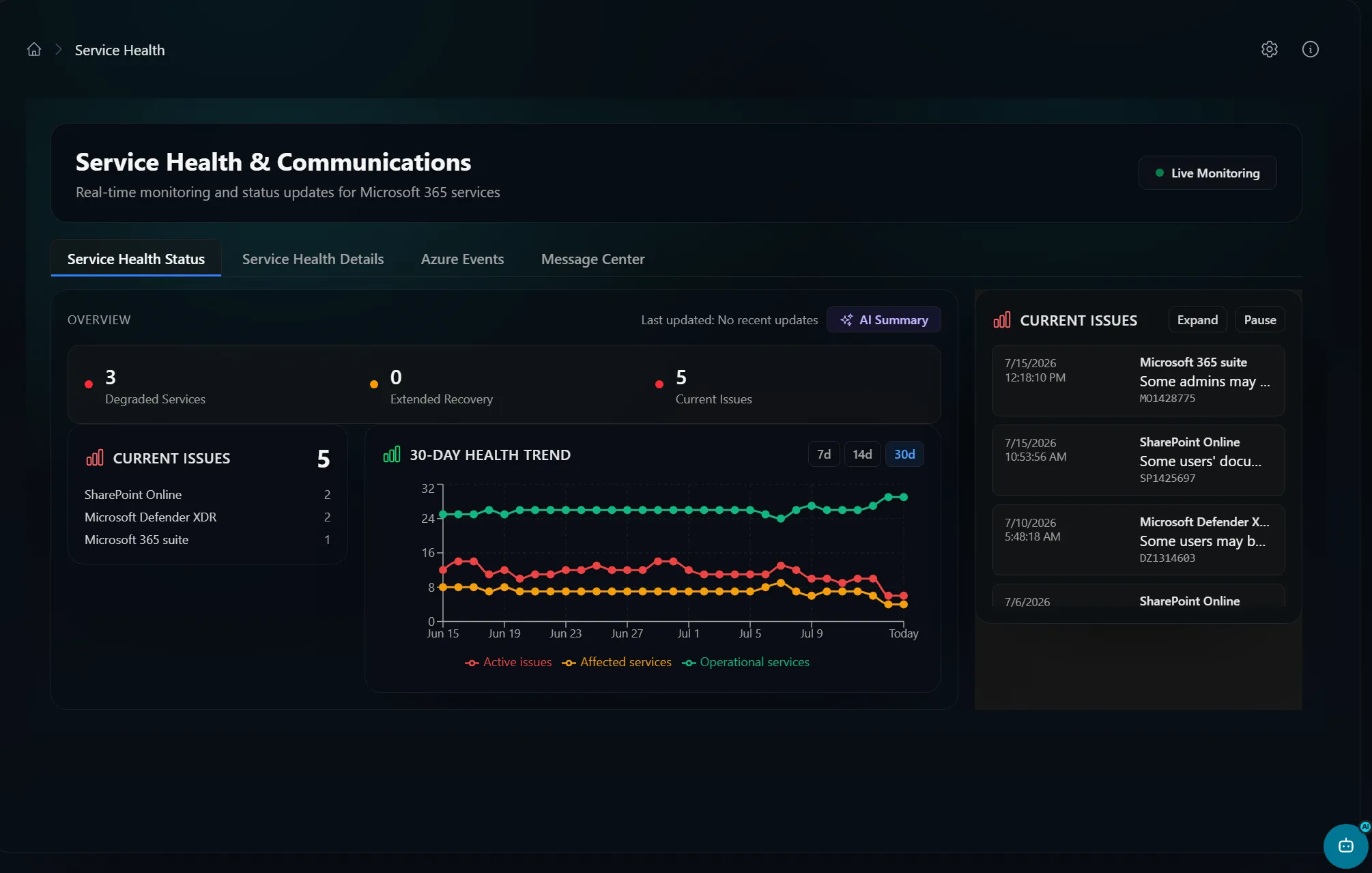
Exchange mailboxes and folders, Teams, SharePoint, and real-time service health round out the console. Service health tracks total issue counts, degraded and extended-recovery services, and opens clickable incident detail dialogs.
Vulnerability data, done honestly
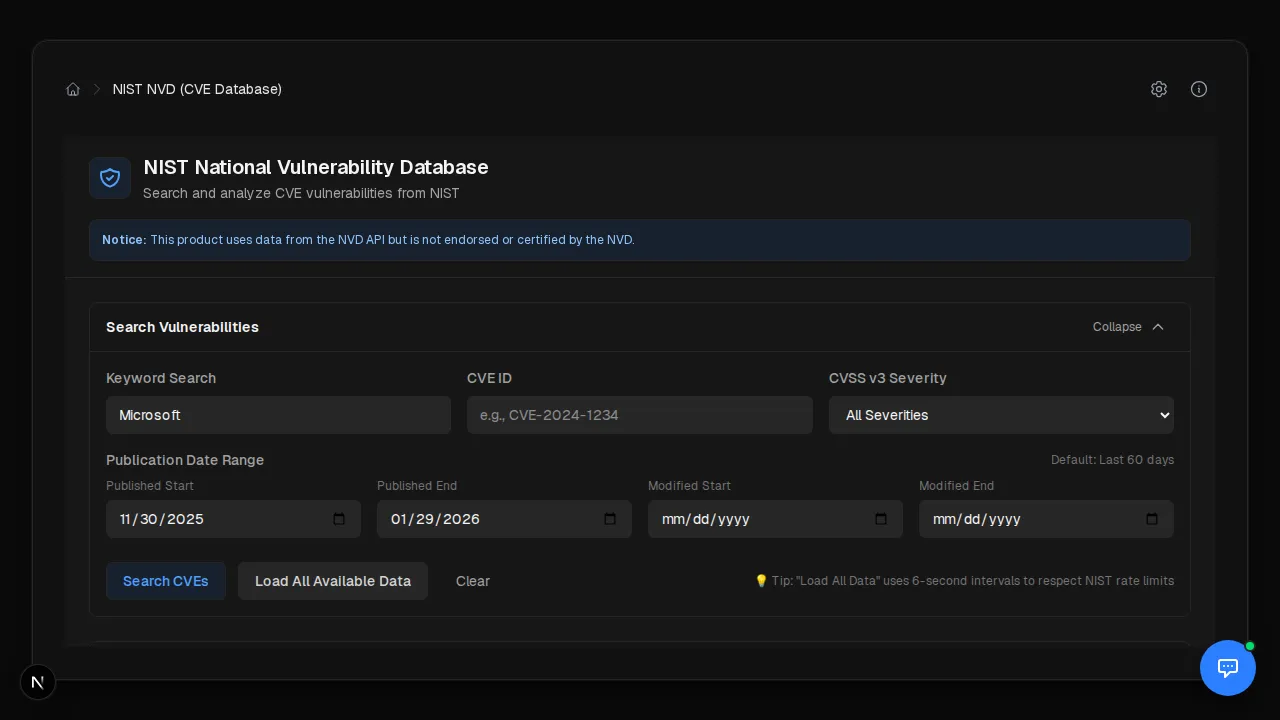
A good example of the aggregation thinking: the vulnerability tooling joins CVE
data against Intune managedDevices to estimate exposure. The default backend
uses public feeds (the MSRC CVRF feed and the NIST NVD API) with zero extra
licensing, and the UI is explicit that the “devices missing update” count is a
deliberate undercount. Tenants with Defender for Endpoint Plan 2 can opt into an
authoritative per-CVE machine count — same page, different data source behind an
env flag, and the report tells you which one you’re looking at.
What holds it together
Auth checks are the floor, not the ceiling. On top of Entra sign-in, routes can enforce RBAC; state-changing requests get CSRF protection with constant-time token comparison; a Redis-backed sliding-window limiter applies per-user, per-route rate limits (stricter for writes than reads); and tokens live in a server-side store the browser never sees. A weekly GitHub Actions workflow even diffs the Power Platform tenant-settings registry and inventory API version against their upstream Microsoft sources and opens a PR when they drift — so the schema mirrors stay current without manual babysitting.
Portal 360° is still private while I harden it — 700+ routes across this many privileged APIs is a big attack surface, and I’d rather ship it when the security story is airtight. It’s provided as-is, with no warranty and no Microsoft affiliation; the official admin portals remain the system of record.