Six Business Apps in One Sunday with Copilot Studio's Copilot Managed Runtime App Studio
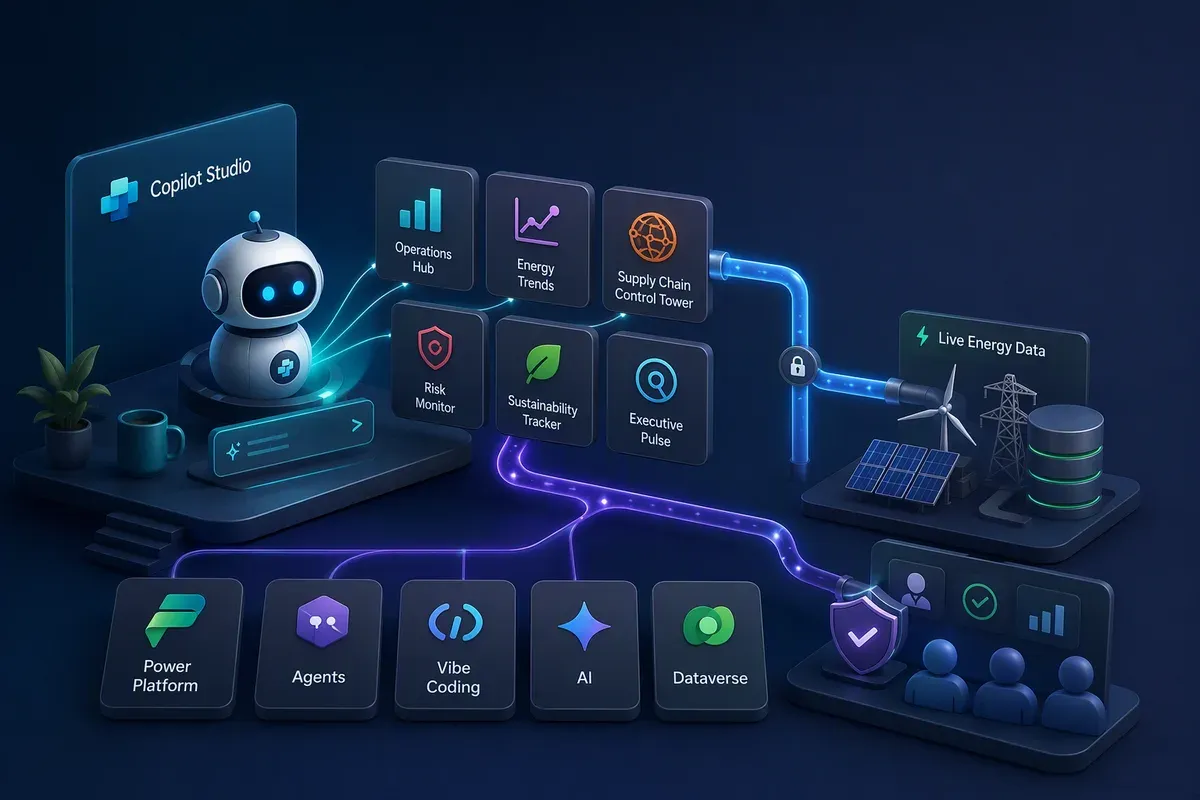
At 11:22 a.m. on a Sunday I typed one request into Microsoft Scout (renamed to Autopilot), the AI agent I run on my desktop:
Use Copilot Studio Managed Runtime App Studio to make 5 impressive apps that showcase the art of the possible. Use only my tenant.
That was the whole request. I didn’t write a spec or sketch a single screen. An hour later, five working apps were published in my Copilot Studio environment. I asked for a couple more features, and half an hour after that, one of them was pulling live oil, gas, and power grid numbers from public government data sources.
For the last year and a half I’ve been building prototype apps with help from various AI tools, because I don’t know any programming languages beyond Apple ][ BASIC (am I showing my age?), WinBatch, and PowerShell. This Sunday felt different. I barely touched the apps myself. Most of my day went to reviewing them.
The setup: one agent directing another
Two agents did the work, and it helps to know which did what.
Autopilot is the agent on my desktop. It can drive a web browser, run commands, read documentation, and remember what we’ve already done.
Copilot Studio did the actual building, and you can use it too. You describe the app you want in a chat, and Copilot Studio writes the code for a complete web app and shows you a live preview. From there you keep refining it by chatting. When you publish, the app runs on Microsoft Copilot Managed Runtime, which is in preview as of October 2026. Copilot Managed Runtime hosts the “Power Apps Managed app” and handles authentication with Microsoft Entra ID and all of your tenant’s existing governance policies, including Conditional Access, MFA, Purview, Defender, you name it. You never set up a server. You can use any of the more than 1,600 Power Platform connectors (you can literally mention the data source and it will automatically add in the appropriate connector(s), or build a custom connector of your own (low-med complexity level) when the one you need doesn’t exist.
Here’s what Autopilot did for me using Copilot Studio:
- Opened the Copilot Studio portal and confirmed it was signed in to the correct tenant.
- Looked at the 14 apps already in my environment so it wouldn’t significantly overlap any in features.
- Picked five new ideas for me and wrote a detailed brief for each.
- Opened five browser tabs and started all five builds at the same time.
- Watched each build, automatically took screenshots of the processes, and reviewed them like an accurately perfect product manager to insure the highest level of quality assurance possible.
- Sent fixes back to the builder, checked the results with its “eyes” (A tool that lets a program open web pages, click around, and take screenshots the way a person would.), and published the apps.
I went from building to reviewing. I’ll come back to that, because it’s what I’d want you to take from this post.
The five apps
Every company in these apps is fictional, and every business figure is sample data unless the app labels it as live.
Executive Pulse: a chief executive’s dashboard on live data
Executive Pulse is a dark, glassy dashboard for Contoso, which turned into an oil, gas, and power company partway through the day. It has a company health gauge, six business metric tiles with small trend charts, and a row of live energy prices: West Texas Intermediate (“WTI”) crude, Brent crude, the spread between them, and Henry Hub natural gas.
Further down there’s a live power grid panel, a what-if simulator whose oil price slider starts at today’s Brent price, and an AI briefing that writes a summary from the current numbers and says which ones are live and which are sample. Alerts raise themselves when Brent moves more than 3% in a day, grid demand runs well above forecast, or a strong earthquake hits near one of ten Contoso sites.
I learned more from this app than any of the others, so the live data gets its own section below.
Supply Chain Control Tower: logistics on a world map
Fabrikam’s control tower shows shipments moving along curved routes between factories and distribution centers. Pick an incident from the disruption list, such as port congestion in Rotterdam or a typhoon in the Taiwan Strait, and the affected routes turn red with the revenue at risk. An AI advisor ranks three reroute options by cost, time, carbon emissions, and confidence. Click Apply and the shipment reroutes on the map.
Everything here is sample data, but it behaves like a simulation, not a static mockup. A Stress Test button fires a random global event so you can watch the effects spread. This was the only app that passed review with no changes.
Deal Room: a sales pipeline with an AI coach
Northwind Cloud’s pipeline holds about 40 deals across seven stages, and you move them by dragging. Each deal card shows an AI win probability. Open a deal and you get a qualification score and an AI coach that flags risks like “no economic buyer engaged in 21 days” and drafts a follow-up email. Drop a deal into Closed Won and you get confetti.
The first build had two problems a sales leader would spot in seconds: 17 of 21 deals were marked at risk, and the funnel showed a 167% conversion rate from one stage to the next. Autopilot caught both, asked the builder to rebalance the sample data and rebuild the funnel, and checked the result before publishing. Either mistake would have cost the demo its credibility in front of a sales audience.
The other two tabs are what a sales leader asks for next. Forecast rolls the quarter into commit, best case, and the full pipeline. Leaderboard ranks the reps by quota attainment.
Smart Workplace: desk booking you can see
Woodgrove Bank’s headquarters gets a desk and room booking app. The tabs across the top are the five things it does.
The floor plan covers three floors. Turn on Find my team to see where colleagues are sitting today, or drag the time slider to watch an occupancy heatmap shift through the day. When review found a phone booth overlapping a desk cluster, the fix was a one-line data change, not a redesign.
Facilities managers get the recommendations on that tab, including ones like “convert 12 under-used desks into two collaboration rooms.”
Learning Quest: onboarding as a game
Tailspin Toys gets onboarding that plays like a game, with levels, experience points, a streak counter, badges, and a quest map of onboarding milestones. Flashcards flip and timed quizzes award points on the Learn tab. Study Buddy answers policy questions or quizzes you on the spot. Team is the leaderboard and the shared goals.
The first build opened on a brand-new hire with zero points. That’s realistic, but it’s a dull way to start a demo. Autopilot had the builder load a demo player, Jordan Lee at level 4 with a six-day streak, and kept a Reset button so you can still show the fresh-start experience. Progress is saved in the browser, so it survives a page refresh.
The bonus app: CineServe, from a Microsoft reference architecture
Late in the afternoon I pointed Autopilot at a Microsoft solution idea, Ticket management system with Copilot Studio agents, and asked for a sixth app. Autopilot read the architecture first and turned it into a brief.
CineServe is a ticket and refund operations app for Northwind Cinemas, a fictional chain with 40 theaters across Canada. Each piece of the architecture is its own screen.
The assisted agent is styled like Teams. It looks up a booking, checks it against policy, and proposes a refund, then waits for a person to approve it.
The autonomous inbox agent is styled like Outlook. It sorts incoming guest emails, resolves low-risk refunds under a set amount, escalates the rest, and shows its reasoning as it goes.
The automation flow view lights up each step: agent, Power Automate cloud flow, Dataverse, desktop robotic process automation (“RPA”) on an Azure virtual machine, the legacy ticketing system, Azure Key Vault, the refund, and the guest notification.
The governance panel has approval thresholds, a policy editor, role-based permissions, and an audit log of every agent decision.
It runs on sample data shaped like the Dataverse tables in the reference architecture. Connecting it to real tables is the next step.
How Executive Pulse got live data
If you’re planning your own app, this is the section to read. It’s where I learned the most about how the platform is meant to work.
The obvious way to get live energy data into an app is to have the app call public data services directly over the internet. Each service offers an A published set of web addresses a program can call to ask another system for data or to ask it to do something. for exactly that. Autopilot checked that four of them worked, from the U.S. Energy Information Administration (“EIA”), the UK National Grid’s carbon intensity service, Frankfurter (for European Central Bank exchange rates), and the U.S. Geological Survey (“USGS”) earthquake feed. Then it tested from inside the running app and found every one of those calls blocked.
That’s intentional. Copilot Managed Runtime apps inherit the tenant’s A browser rule that lists which outside web addresses a page is allowed to contact. Anything not on the list is blocked., and Microsoft’s documentation says these apps connect to data through connectors. Every data call is routed through the platform, where Microsoft Entra identity, Data Loss Prevention (“DLP”), and Advanced Connector Policies (“ACP”) apply whatever rules your organization’s security and compliance teams have set.
Why?What's a connector, and what's a custom connector?
A connector is a ready-made, managed link between Power Platform and another service, such as SharePoint, SQL Server, Office 365. Your app asks the connector for data, and the platform handles sign-in and applies your organization’s rules about which services can share data with which. When there’s no ready-made connector for a service, you can create a custom connector by describing that service’s API in a standard format called OpenAPI. After that, it behaves like any other connector, including for your admins.
Executive Pulse is the only one of the six apps wired to outside APIs. The other five run entirely on sample data built into the app. Here’s how Autopilot connected the four services:
- Described each API in an OpenAPI file. Each file tells Power Platform
where the service lives, which operations it offers, what inputs each one
takes, and what comes back. Every operation gets a name, its
operationId, and that name becomes the action the app calls. - Imported each file as a custom connector in the Power Apps maker
portal. Three of the services are public and need no sign-in. EIA requires
a free
A secret code a service gives you so it can tell who's calling. Treat it like a password.,
so its connector is set to API key authentication and sends the key as the
api_keyquery parameter. - Created a connection for each connector. A connection is a signed-in copy of a connector that an app can actually use. The EIA key goes in once, when you create the connection, and stays on the platform side instead of in the app’s code.
- Handed the connectors to the Copilot Studio builder. Autopilot told the
builder which connectors existed, the
operationIdof each action, and what each one returns, and the builder did the wiring. Per Microsoft’s documentation, the app never sends raw web requests to a connector. It calls generated code for each action, and the Copilot Managed Runtime host routes every call through the platform.
Here’s what each connector feeds in the app:
- EIA Energy Data uses the EIA Open Data API (version 2, API key
required).
GetPetroleumSpotPricesreturns WTI and Brent crude prices,GetNaturalGasPricesreturns Henry Hub gas,GetGridRegionDatareturns hourly U.S. Lower-48 demand against the day-ahead forecast, andGetGridFuelMixreturns the generation mix by fuel. - Carbon Intensity UK uses National Grid’s public Carbon Intensity API (no
sign-in).
GetCurrentIntensityandGetGenerationMixdrive the UK carbon gauge. - Frankfurter FX Rates uses Frankfurter’s public API for European Central
Bank reference rates (no sign-in).
GetLatestRatestranslates figures into regional currencies. - USGS Earthquakes uses the USGS real-time earthquake feeds (no sign-in).
GetSignificantQuakesPastDayandGetSignificantQuakesPastWeekdrive the alerts for magnitude 5.5 or stronger quakes near Contoso sites.
The EIA connector needed one workaround. EIA’s API takes nested query options,
such as which price series to return and how to sort them, and those don’t map
neatly to ordinary connector inputs. So every EIA operation takes a single
Extra information sent along with a web request, separate from the address itself.
called X-Params that carries the whole query as
A plain-text format for structured data, written as labeled values inside curly braces. Most web APIs send and receive data this way..
Change the series code, such as RBRTE for Brent or RNGWHHD for Henry Hub,
and the same pattern returns different data. That’s how one connector covers
oil, gas, grid demand, and the generation mix.
The app caches EIA results for 30 minutes and the other three feeds for 5 minutes, so it isn’t calling the services on every page load. The first time someone opens the app, Copilot Managed Runtime asks them to consent to all four connections before any data loads.
I hit two smaller issues along the way. An older custom connector in my environment had an incomplete sign-in setup, and it held up the consent prompt for the whole app, so I removed it. EIA’s newest hourly grid figures also arrive before every region has reported, which made the demand line drop sharply at the right edge of the chart. The fix was to skip any hour that comes in below 85% of the previous day’s median. When the app flagged demand at 19.5% above forecast, Autopilot checked that number against EIA’s raw data before I trusted it, and it matched.
The finished dashboard puts a green LIVE badge on every panel backed by a live feed and shows where every number comes from.
What the day actually used
When the apps were done, I asked Autopilot how long it had really been working and how much it had used. It didn’t guess. It measured the time from the timestamps in its own session log.
My requests ran for about 2 hours 42 minutes in total. Autopilot was actively working for about 66 minutes of that, and the AI model itself accounted for only about 28 minutes. Model time is the part that uses Autopilot’s credits.
All times below are in minutes. Model is the AI model working, Tools is browser and tool work, and Waiting is time spent waiting on the Copilot Studio builder.
| Request | Total | Model | Tools | Waiting |
|---|---|---|---|---|
| First five apps | 56.7 | 9.0 | 15.4 | 32.3 |
| Live energy data | 96.4 | 13.3 | 19.6 | 63.5 |
| CineServe, post draft | 7.2 | 4.0 | 3.2 | 0 |
| Follow-up questions | 2.0 | 1.9 | 0.1 | 0 |
| Total | 162 | 28 | 38 | 96 |
Idle time between my messages isn’t counted at all. Here’s what the waiting and tool time covers:
- Waiting on the builder (96 minutes). Autopilot paused on purpose while Copilot Studio wrote and compiled the apps. That used none of Autopilot’s credits. The Copilot Studio builder was doing real work during that time, though, and it draws on Copilot Studio credits, which don’t show up in Autopilot’s log.
- Browser and tool work (38 minutes). Clicking through Copilot Studio, the Power Apps maker portal, and the Connections page, taking screenshots, and calling the EIA API. This runs slightly high, because it includes short pauses while pages loaded or publishing finished.
Take out the blog draft and the follow-ups, and building six apps and four custom connectors came to about 24 minutes of model time and 37 minutes of tool work. That’s roughly an hour of actual activity.
Autopilot reports usage in AI units (“AIU”), not dollars:
| Request | AIU |
|---|---|
| Build the first five apps | 757 |
| Live energy data | 2,381 |
| Start CineServe | 282 |
| Draft this post | 371 |
| Rename a term in the draft | 266 |
| A one-line “where is the post?” question | 246 |
| Total | ≈4,303 |
That added up to six premium requests, about 97,000 output The small chunks of text, roughly three-quarters of a word each, that an AI model reads and writes. Usage is counted in them., and about 58 million tokens of reused Everything the model is shown along with your message: its instructions, the conversation so far, and any files or tool results..
The surprise for me was what drives the number. It isn’t time. Every new message sends the whole conversation history back to the model, so the cost of a request grows with how long the chat has been running. That’s why asking where the post was saved, a one-line answer, used about 246 AIU, nearly as much as kicking off an entire app. The live data request used more than half the day’s total on its own, because it was the longest stretch of steps, each carrying everything that came before it.
The practical fix is simple: when a follow-up question has nothing to do with the work in progress, start a new chat. The log only reports AIU, so I can’t convert these numbers to dollars or Copilot Credits, but the pattern is what matters.
What I took away
The ever improving AI models that are out now are quite impressive, but they weren’t what stuck with me.
I directed instead of building. I described outcomes, and two agents handled the browser tabs, builds, fixes, connectors, and publishing. My part was judgment: deciding what looked good, what was believable, and what a chief financial officer would push back on.
Review requires the most skill. Every app will most likely function at a basic level and even look good on the first build, but most won’t be ready to show anyone. The real improvements come from catching things like the 167% funnel, a chart that rendered as a solid block, a clock labeled Coordinated Universal Time (“UTC”) that actually showed local time, and an outlook forecasting $178 oil. A straight-line projection produced that last one, and the fix dampens the volatility and caps the swing at 25% in either direction. If you can spot problems like these, you can now ship at a speed that wasn’t possible last month.
The guardrails made the app better. Because the content security policy blocks direct calls to outside services, the app ended up on governed connectors that IT can see, manage, and reuse. That puts a prototype much closer to production on day one.
That shift, from asking Copilot for help to handing an agent a defined piece of work, is what the short video below is about. InfiniAIBook made it. That’s a tool I built using the GitHub Copilot Windows app the other day that turns many types of source material into training videos, FAQs, reports, PowerPoints, Study Guides, Podcasts, infographics, and many others, so the video is one more piece of work I handed off.
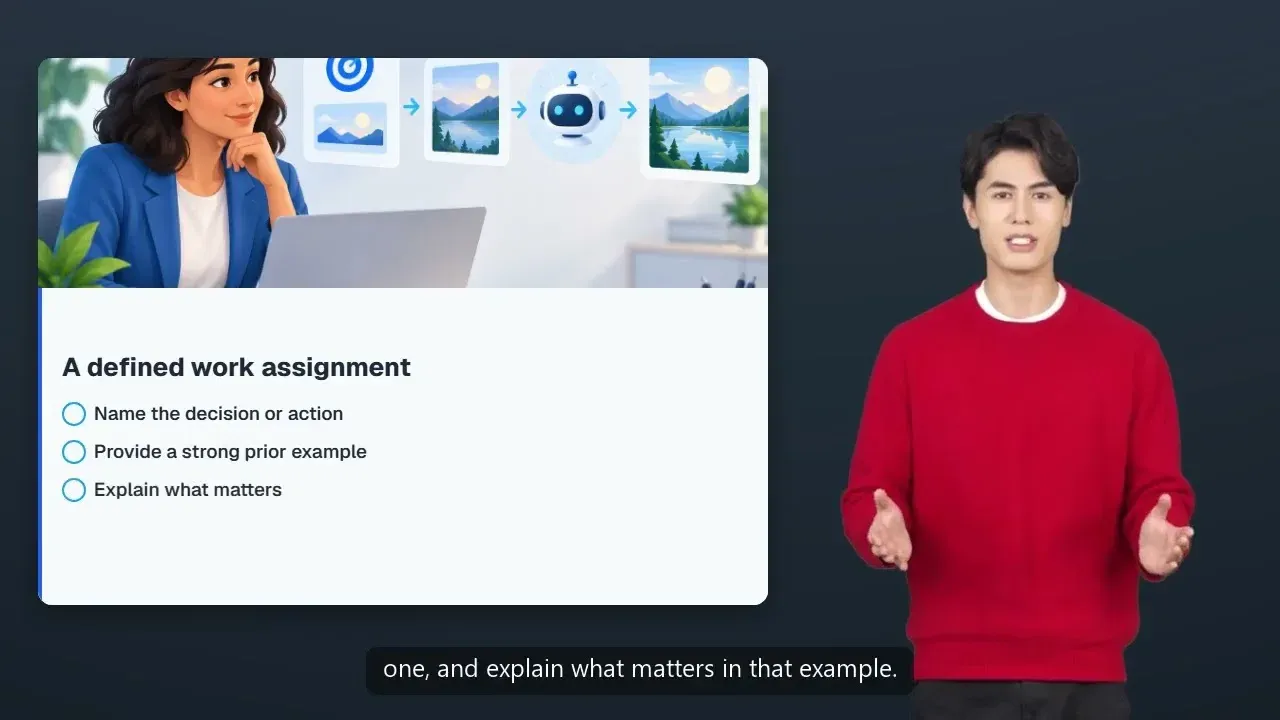
From Copilot to Autopilot: Delegating Work in Microsoft 365
on YouTube, generated by InfiniAIBook.
If you want to try this
- Write a brief, not a feature request. Each app started from a paragraph covering the audience, the visual style, and six to eight features. Spell out who the app is for and what it should do, not just what it’s called.
- Ask for data honesty. The live, cached, and sample badges were one of the best ideas of the day. An executive trusts a demo more when it tells them what’s real.
- Plan for connectors early. If your app needs outside data, and there’s no out-of-the-box connector, create a custom connector first. It’s a few minutes of OpenAPI work, and you get governed, reusable access out of it.
- Budget time for review. The builds took minutes. Most of the quality came from going through each preview carefully.
- Start a new chat for unrelated questions. Each message carries the whole conversation with it, so a quick side question at the end of a long session costs far more than the same question in a fresh chat.
To get started, follow Create an app in Microsoft Copilot Studio in a dev environment, give it a real brief, and save most of your time for review. If you’d rather write the code yourself, my Power Apps code apps post covers that path.
Company names in this post (Contoso, Fabrikam, Northwind, Woodgrove, and Tailspin) are fictional. Business figures are sample data unless labeled live. Live data in Executive Pulse comes from the U.S. EIA, the UK National Grid Carbon Intensity API, European Central Bank rates through Frankfurter, and the USGS.
Get the latest learnings
Occasional notes on Azure, AI, and cloud architecture. No spam, unsubscribe anytime.
Related articles
From Excel Compliance Tracker to Working App in 25 Minutes
A customer's Excel tracker became a testable app in 25 minutes. Here's how Copilot Studio, Cowork, code apps, and GitHub Copilot compare.
Sonnet 5.5 vs Opus 5.5: Same Prompt, Two Models = Two Different Apps
I compared two finished apps built from the same brief, one with Claude Sonnet 5.5 and one with Claude Opus 5.5, screen by screen. Both work, and the gaps are specific.
I Had 27 MCP Servers and Four Doing the Same Job. So I Built AI Harness Helper
AI Harness Helper brings your coding tool settings into one view, finds duplicate MCP servers, and estimates how much context your instruction files use.
Comments
Comments are hosted by GitHub Discussions. Loading them connects your browser to giscus.app and GitHub.