I'm Finally Starting a Blog(and Here's What I've Been Building)

I’ve been saying “I should really start a blog” for about three years now. The domain has been sitting there. The half-written intro posts have come and gone. And every time I sat down to actually publish something, I found a reason not to.
So consider this the reason I finally did: I’ve built a handful of things lately that I’m genuinely excited about, and I wanted a place to talk about them that wasn’t a LinkedIn post buried by the algorithm ten minutes after I hit publish.
If you work anywhere near the Microsoft cloud — Microsoft 365, Azure, Power Platform — a few of these might be useful to you too. Here’s a tour.
Pulse 360° — one dashboard for every Microsoft update stream
If you’ve ever tried to keep up with Microsoft’s pace of change, you know the problem: the news lives in a dozen different places. Message Center, the M365 roadmap, Azure Updates, the Fabric roadmap, the Power Platform release planner, MSRC security advisories, a pile of product blogs. Nobody has time to check all of them.
Pulse 360° is my answer to that. It pulls all of those official Microsoft update streams — Microsoft 365, Azure, Fabric, Power Platform, Dynamics 365, Copilot, and MSRC — into a single, fast, filterable dashboard. It’s dark-mode first, everything is sorted newest-first, and there’s a global search and per-product filters so you can scope down to just what you care about.
Under the hood it’s a Next.js 16 app (App Router, React 19, TypeScript, Tailwind CSS 4). Server Components do the heavy lifting and route handlers act as a server-side proxy for the cross-origin and bot-protected feeds. If you want to poke at it, it’s live at mspulse360.app.
You can find the source on GitHub: github.com/russrimm/Pulse360.
Portal 360° — one console for every Microsoft admin portal
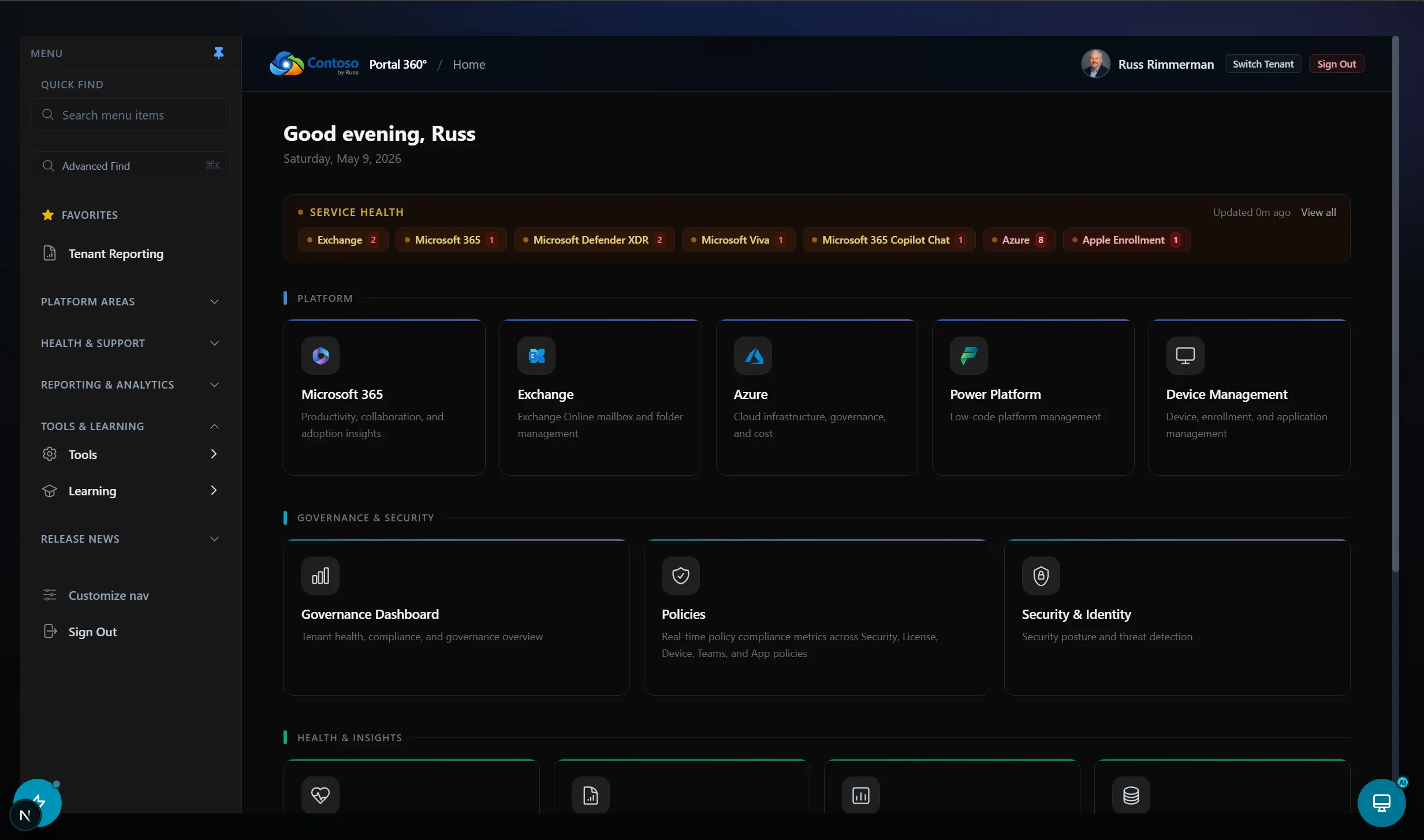
This one’s still cooking, so I’ll keep it brief. Portal 360° folds a dozen Microsoft admin portals — Entra, Intune, Azure, Power Platform, and collaboration — into a single authenticated, audit-friendly workspace. Instead of bouncing between the Entra, Intune, Azure, Power Platform, and Exchange admin centers, IT and MSP teams get one console with centralized visibility, cross-service actions, and audit-ready operations.
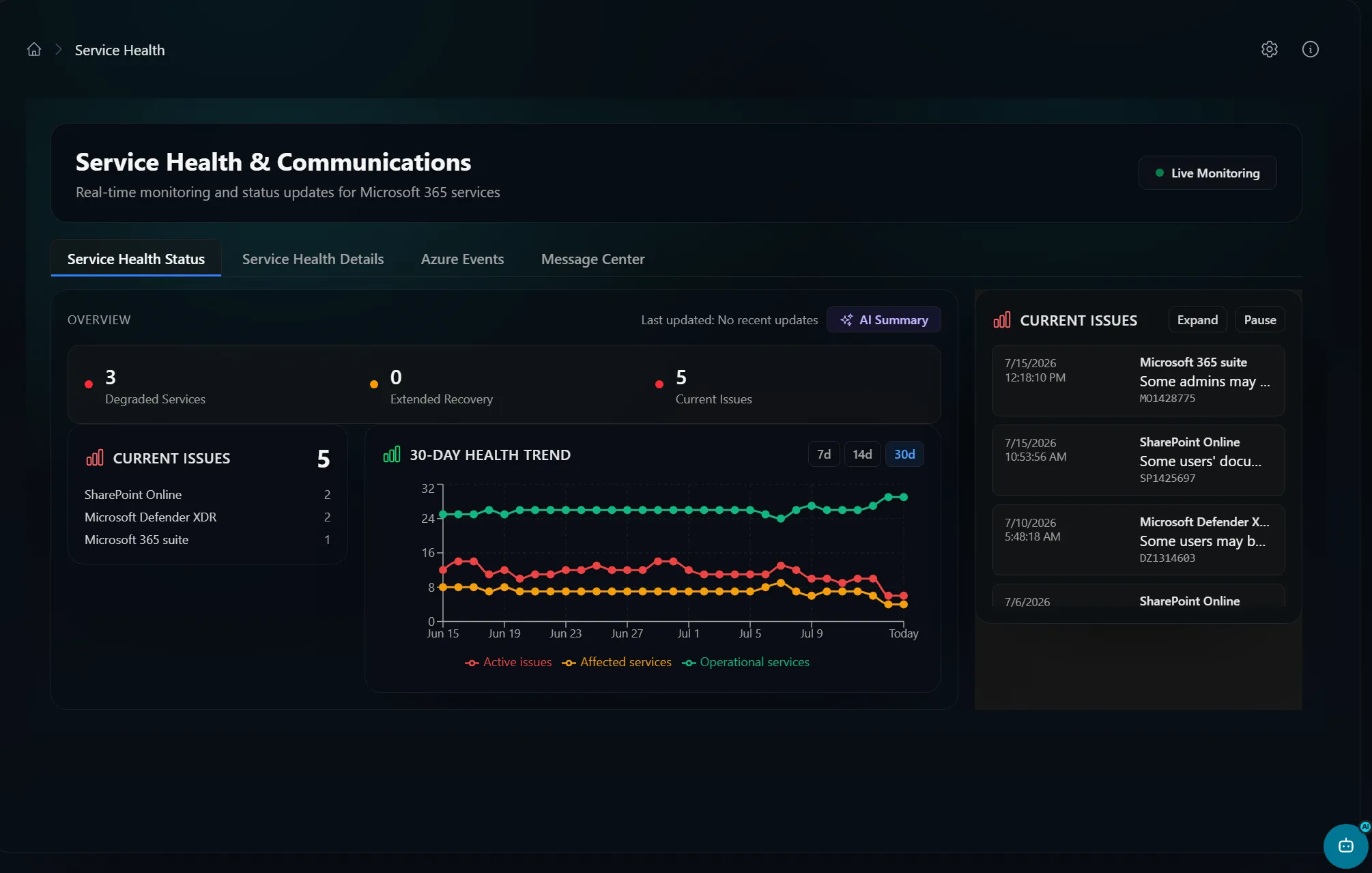
It’s a Next.js 16 / React 19 / TypeScript app with 700+ API routes, secured with NextAuth (Auth.js) v5. It runs on a Backend-for-Frontend architecture, so every privileged call stays server-side, behind per-route authentication and least-privilege scopes drawn from a single centralized map. It’s a private repo for now while I harden it — 700+ routes across this many privileged APIs is a big attack surface, and I’d rather ship it when the security story is airtight.
Here’s the home dashboard — service health and platform tiles for every Microsoft cloud in one place:
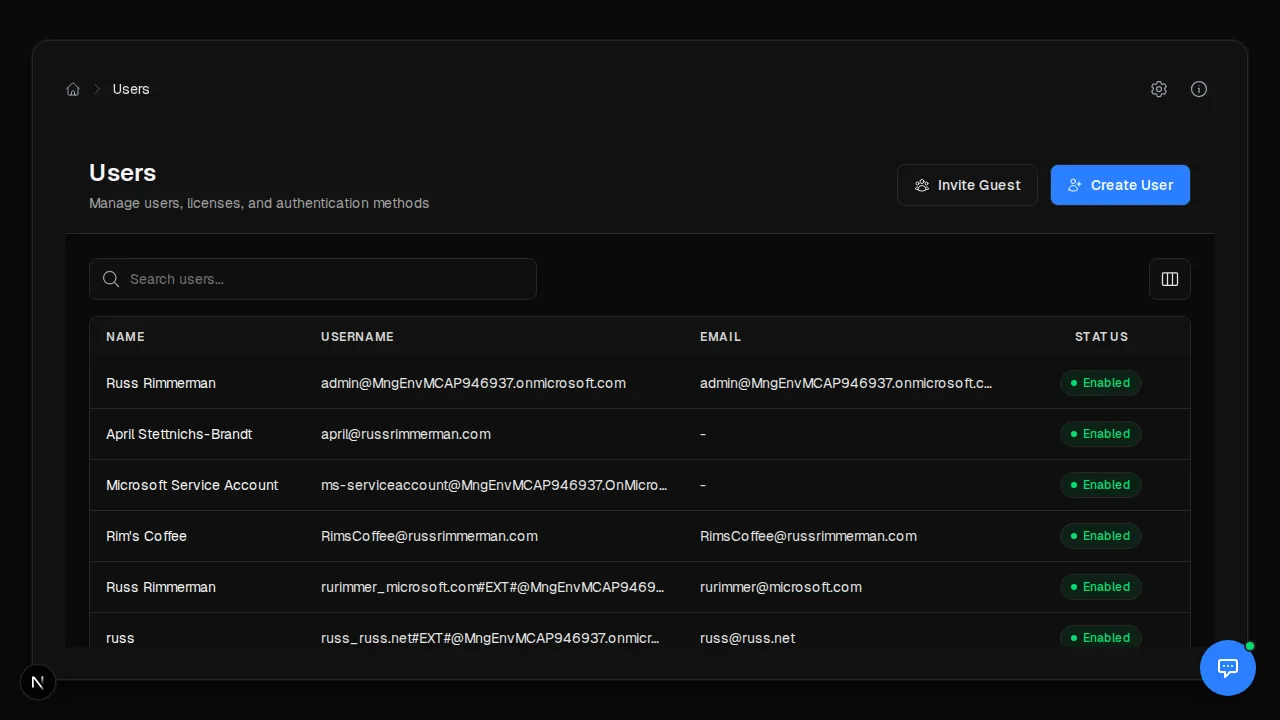
The identity surface covers users, groups, apps, PIM, Conditional Access, and audit logs, all backed by Microsoft Graph:
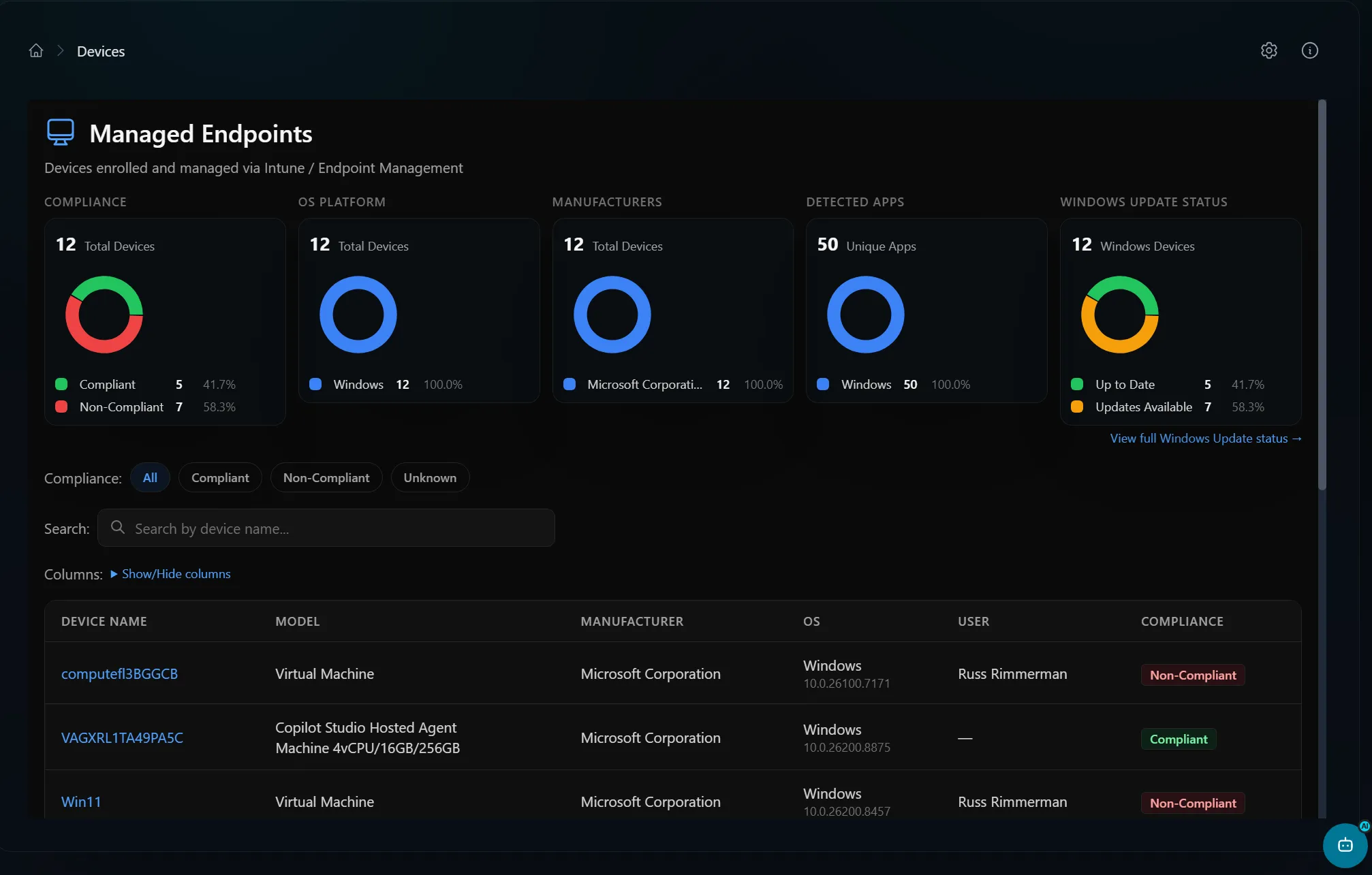
Microsoft Intune drives the device surface — inventory, compliance, and configuration state for every managed device:
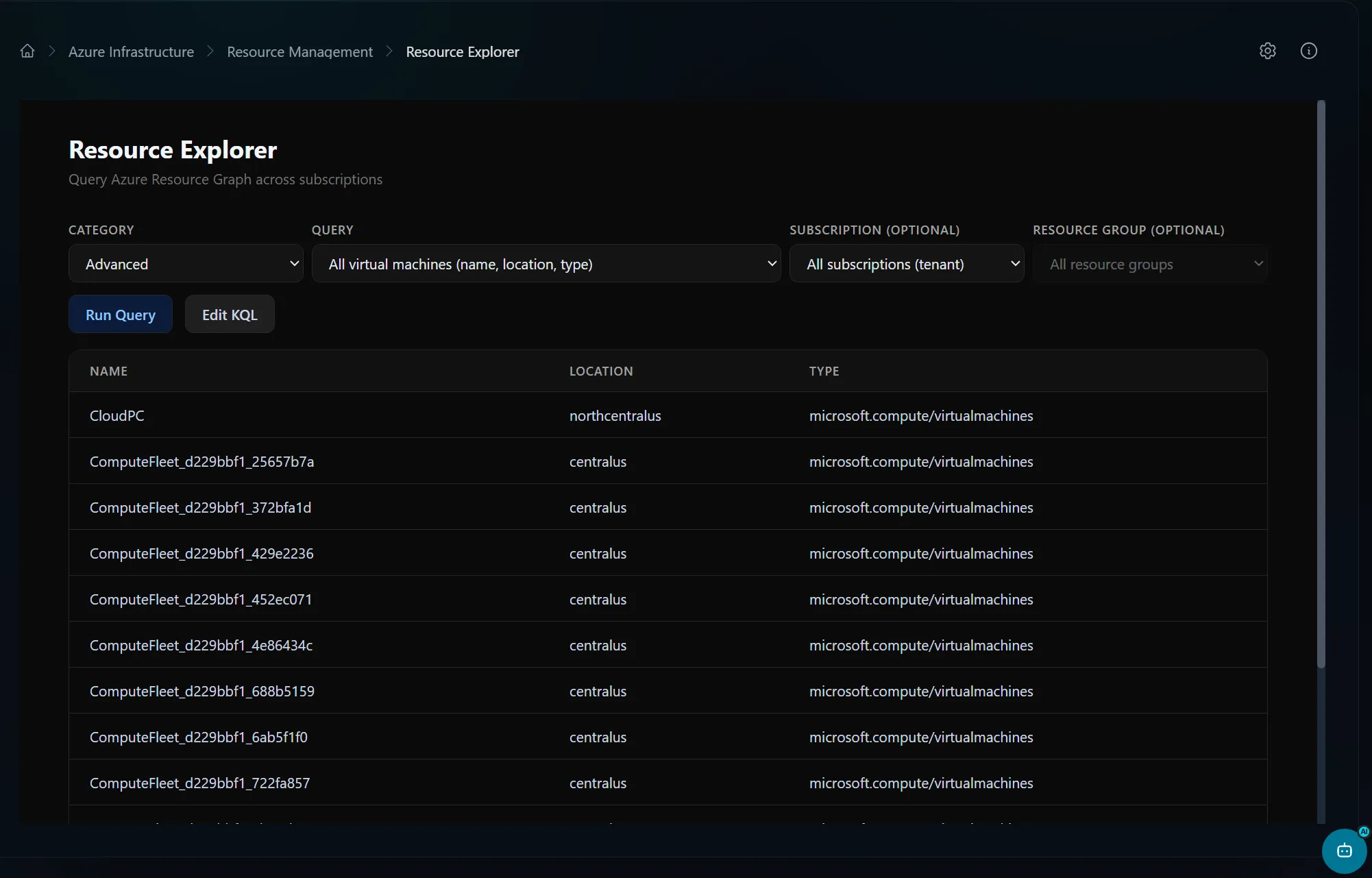
Azure coverage spans resources, networking, VMs, policy, cost, and monitoring, with an Azure Resource Graph explorer:
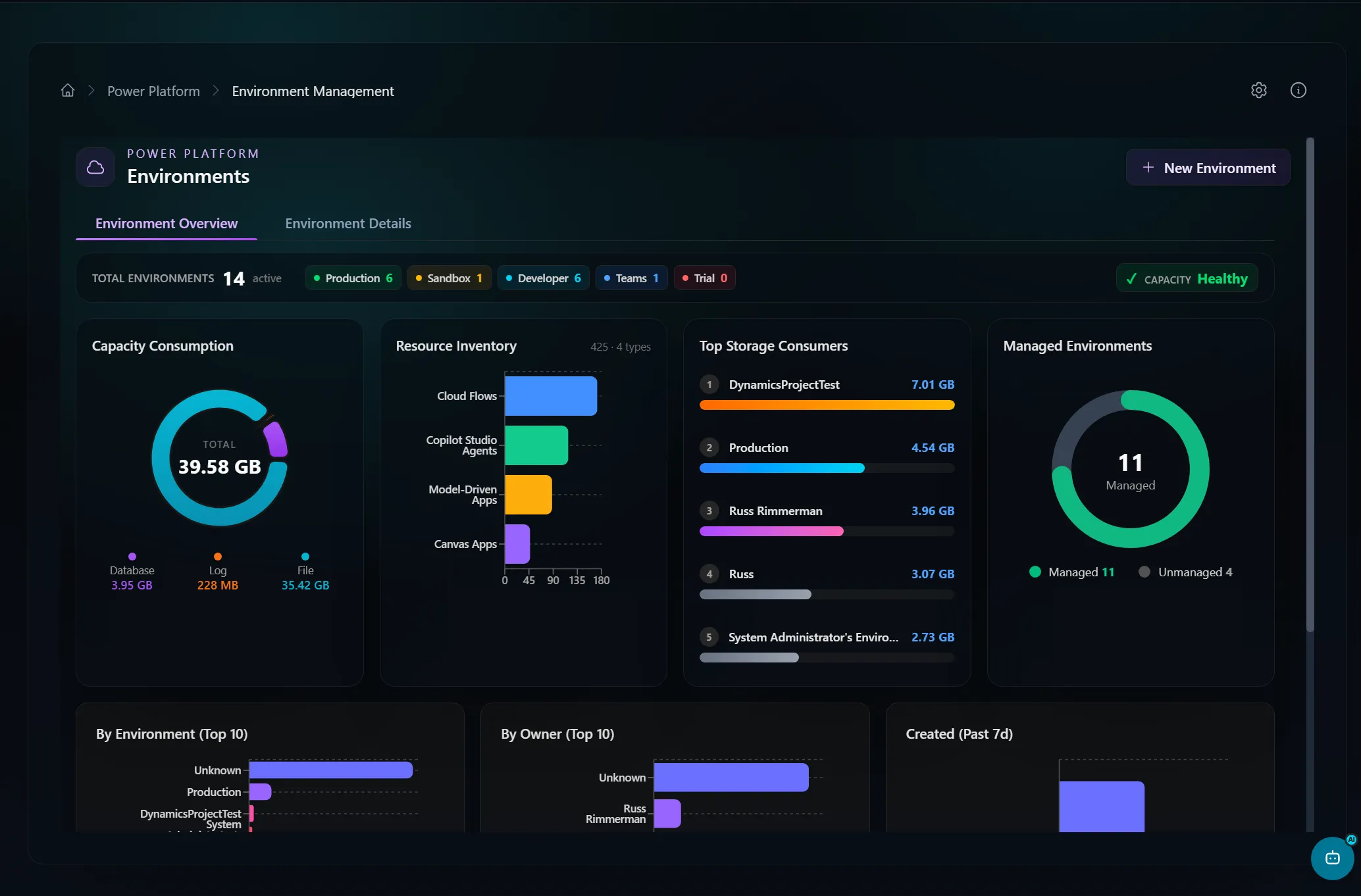
The Power Platform surface handles environments, Copilot Studio, DLP, governance, and Dataverse analytics:
A handful of other surfaces round out the console:
- Secure Score monitoring — current posture, improvement actions, and category breakdown, optionally enriched by Defender for Endpoint.
- Collaboration — Exchange mailboxes and folders, Teams, and SharePoint.
- Vulnerability data — CVE search over the NIST NVD API, joined against
Intune
managedDevicesto estimate exposure, with an optional Defender for Endpoint Plan 2 path for authoritative per-CVE machine counts. - Real-time service health — issue counts, degraded and extended-recovery tracking, and clickable incident detail.
- Security by default — RBAC on top of Entra sign-in, CSRF protection with constant-time token comparison, a Redis-backed sliding-window rate limiter, and server-side token storage the browser never sees.
- Self-healing schema mirrors — a weekly GitHub Actions workflow diffs the Power Platform tenant-settings registry against Microsoft’s upstream sources and opens a PR when they drift.
Microsoft Communications Portal — a single pane of glass you can self-host
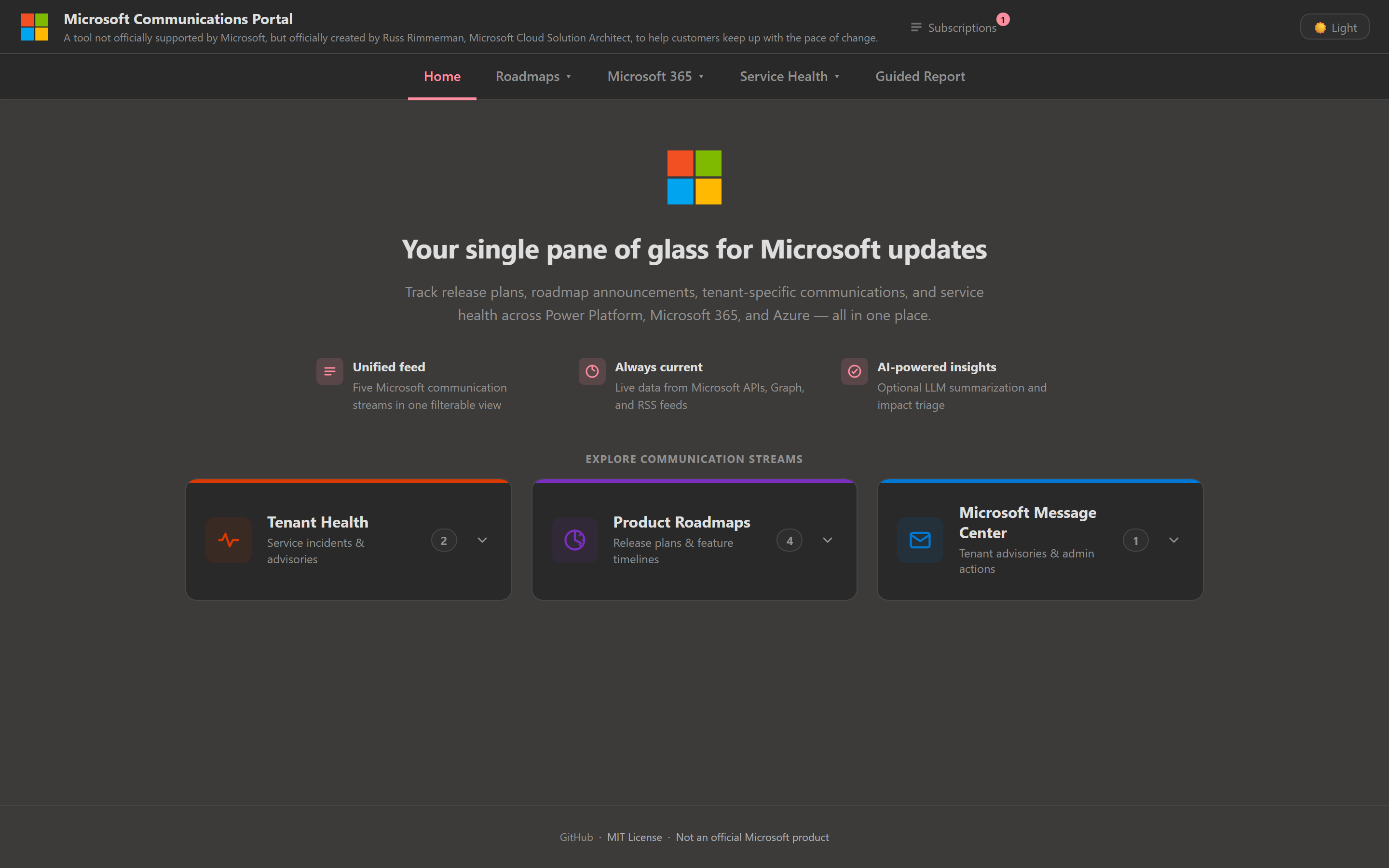
The Microsoft Communications Portal grew out of a request I kept hearing from customers: they wanted one place to see all the Microsoft updates that affect them — Power Platform release plans, the Microsoft 365 roadmap, Azure announcements, the Fabric roadmap, tenant-specific Message Center posts, and Service Health incidents — without bouncing between half a dozen admin centers. And critically, they wanted something they could deploy on their own infrastructure.
So that’s what this is: a single-pane-of-glass web app backed by a tiny Node.js server that proxies the upstream APIs and handles the Microsoft Graph authentication. Six of the nine pages work immediately with no credentials at all; only the Graph-backed pages (Message Center, Service Health) need an Entra app registration.
Here’s the home dashboard — every communication stream in one filterable view:
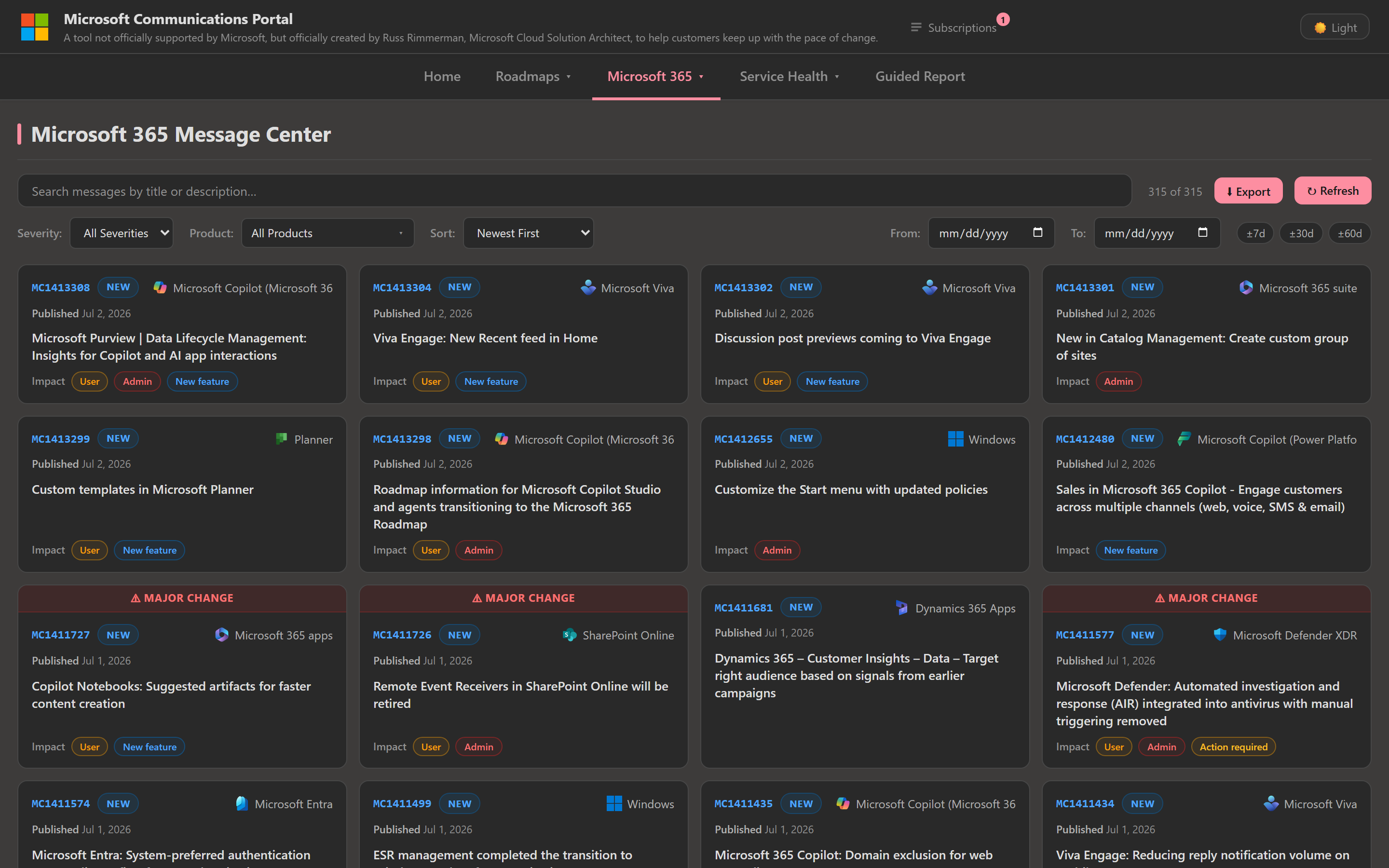
The Message Center page pulls tenant-specific Microsoft 365 announcements straight from Microsoft Graph, filterable by severity and date:
And my favorite feature — the Guided Report builder. It walks you through picking sources and produces a clean, shareable report you can export. There’s even one-click export to a self-contained HTML file you can paste straight into an Outlook email:
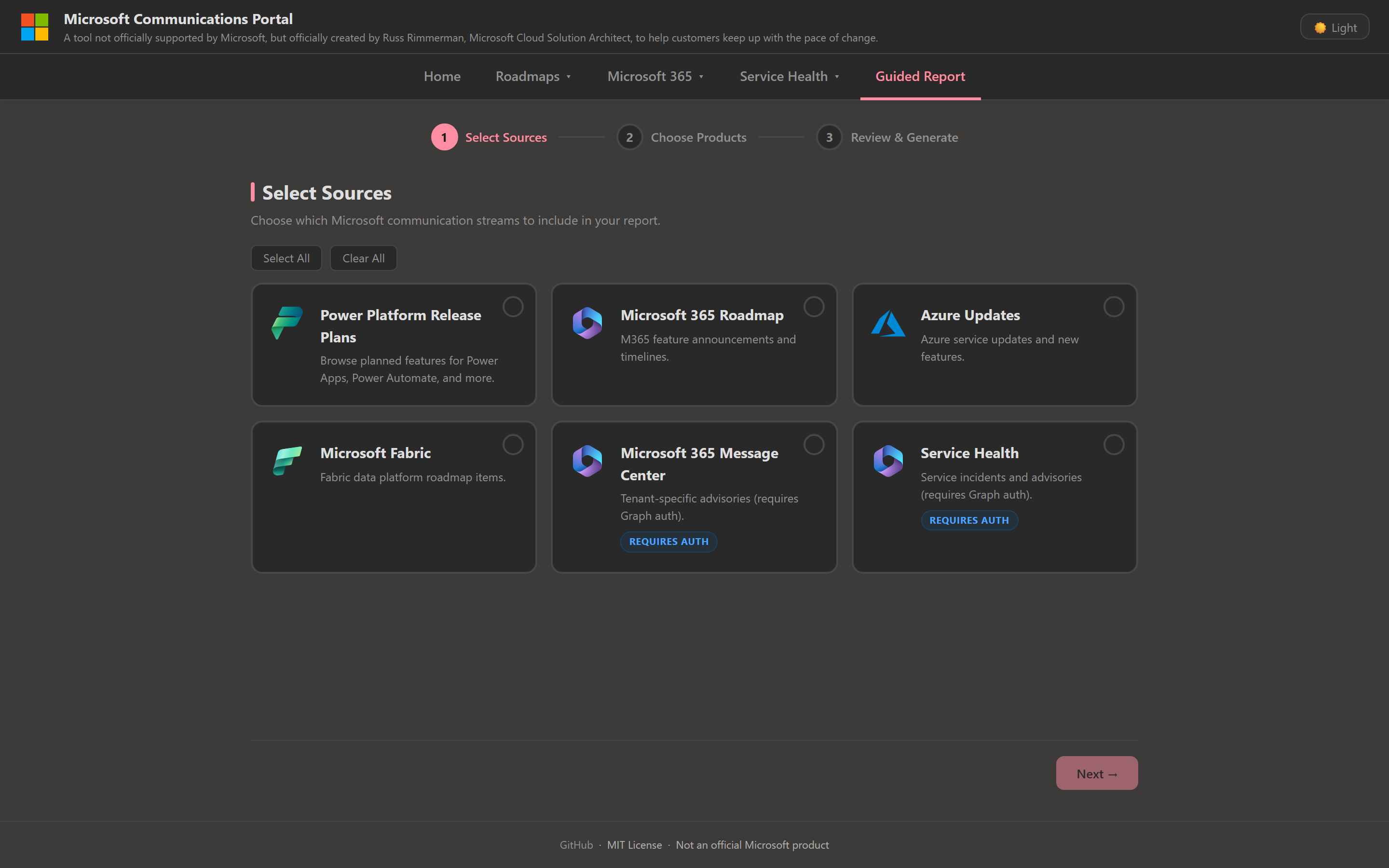
There’s also an optional AI layer that produces a “top 5 most impactful changes this week” digest and can summarize any individual announcement into plain language with an impact rating and an admin-action flag.
It’s MIT-licensed and not an official Microsoft product — just a reference implementation I put together to help customers keep up. Source and setup docs are here: github.com/russrimm/MicrosoftCommunicationsPortal.
Why I build these (and why I’m writing about them)
If you’re noticing a theme here — “Microsoft ships a lot, and it’s hard to keep up” — you’re right. That’s the itch behind most of what I make. I’m a Cloud Solution Architect, and the single most common thing I hear from customers is some version of “how do I stay on top of all this change?”
The other thing worth admitting: I’m not a career developer. Most of this got built by describing what I wanted and letting AI do the heavy lifting, then poking at it until it worked. That approach — call it vibe coding — is a big part of what I want to write about here, alongside the projects themselves.
So that’s the plan for this blog: the things I’m building, the Microsoft cloud news worth paying attention to, and what I’m learning about building software with AI as a co-pilot rather than fighting a compiler by myself.
If any of these projects are useful to you, or you want to swap notes on building this kind of thing, I’d love to hear from you — reach out anytime. Thanks for reading the very first post. There will be more.
Get the latest learnings
Occasional notes on Azure, AI, and cloud architecture. No spam, unsubscribe anytime.